Account Hierarchy
Connected Payments will set up your account based on brands or divisions in your company. Each account will be setup with your Acquiring Merchant ID and supporting credentials which will dictate the bank account in which your funds will be settled by your acquirer. An example of how the account may be structured is detailed below.
Merchant Account Hierarchy
| Customer ID | Account Name | Merchant ID |
|---|---|---|
| Merchant 1 | Division 1 | Merchant1 > Division1 |
| Merchant 1 | Division 2 | Merchant2 > Division2 |
Please confirm your correct account hierarchy with Connected Payments.
Admin user accounts
If your account is an Admin user account, by default your account will be at the parent hierarchy level. To view transactions at a division level you must use the Hierarchy selector function.
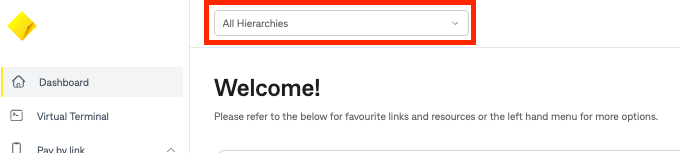
A drop down of all your divisions within your merchant will be displayed. Select the division you want.
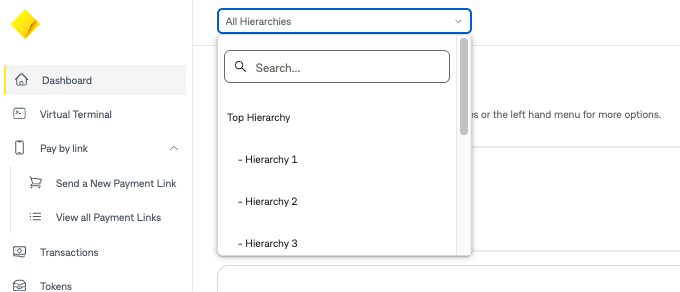
Only information relating to this division will be displayed this includes transaction and token information.