Processing a Refund
In order to perform a Refund, you must first identify the transaction. An option is to use the search function.
Refer to the Transaction Search page for details.
Transaction view
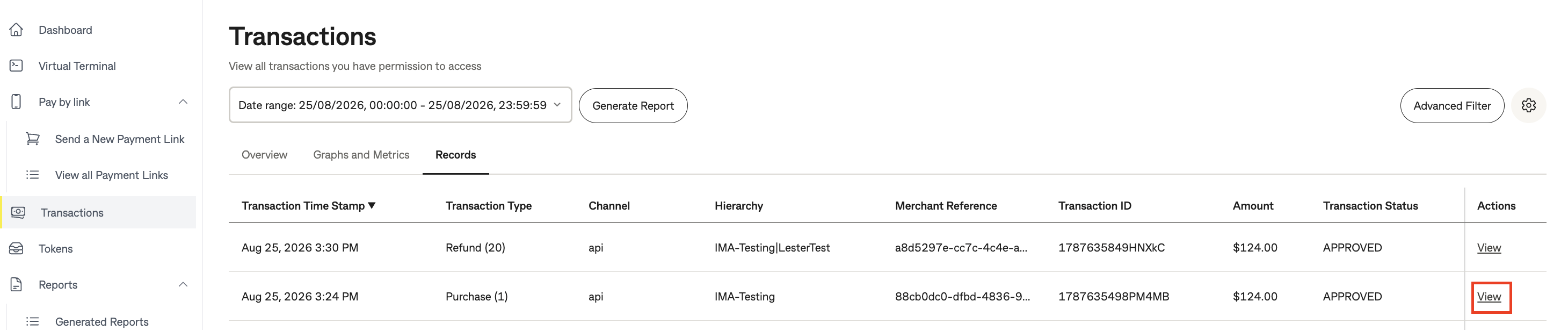
On the Transaction page using the Records tab, click on "View" for the transaction that you need to Refund.
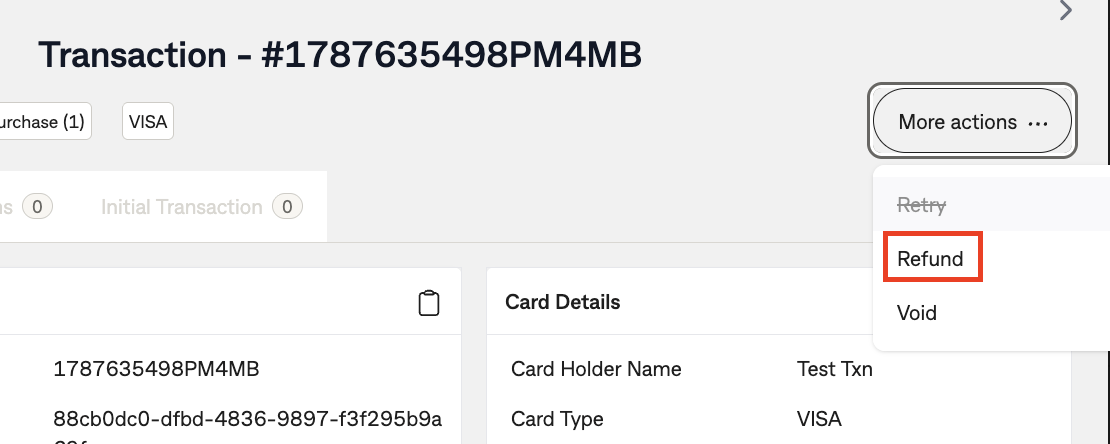
This will display all information for this transaction as shown below. Click on "More actions" and select "Refund".
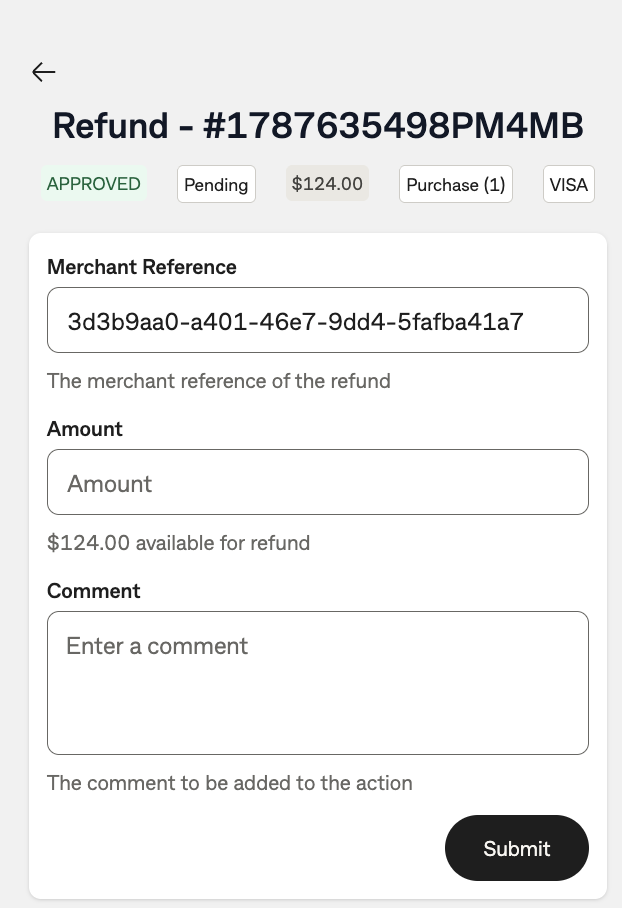
After selecting Refund, the below screen will be presented. Enter a Merchant Reference for the refund, the Amount you want to Refund, and optionally a comment relating to the reason for the refund being processed.
PLEASE NOTE
You can only refund up to the maximum value to the original amount. Any value more than the original amount will cause the Refund transaction to fail.
Once you have entered all data, click Submit.
After submitting the Refund you will be presented with a response message showing Refund success or failure. In the instance where a failure occurs, please review your data entry at the previous step.